 fikaride
A cycling game can show a healthy frame-rate number and still feel uneven. The road moves smoothly, catches for a moment, then carries on. An average can hide those interruptions.
That was the problem behind this round of Fikaride performance work. The aim was to make the ride more consistent on a laptop, while keeping the riders, bikes and scenery looking like themselves.
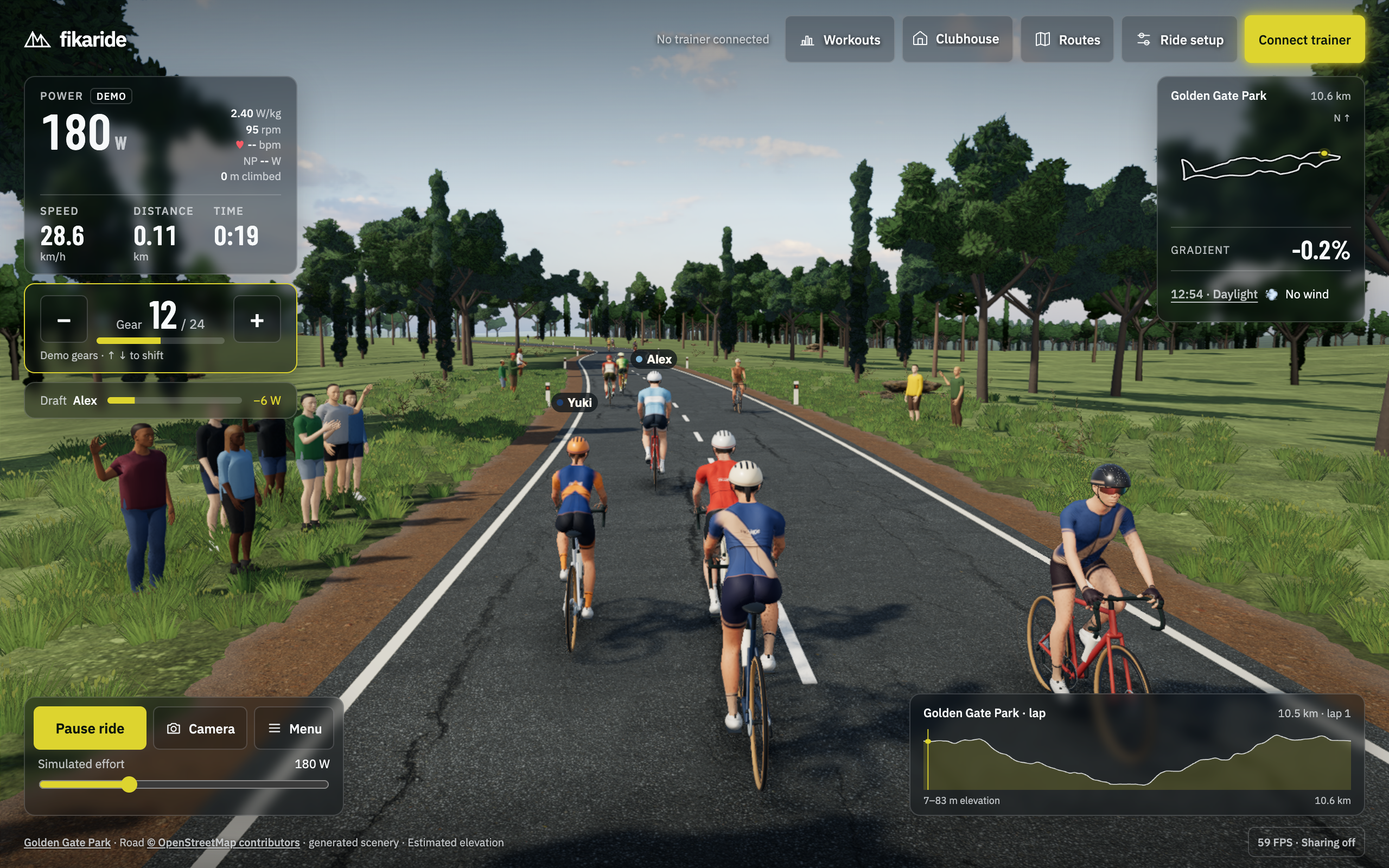
At 60 frames per second, a new picture is due roughly every 16.7 milliseconds. An occasional piece of work taking 40 milliseconds can interrupt that rhythm even when most frames are comfortably fast.
Fikaride now caps rendering at 60 FPS to limit unnecessary work on laptops with faster screens. Keeping within that limit still takes care: the individual updates need to arrive consistently, and the game needs time left over for occasional jobs such as preparing new scenery.
There are two main participants. The CPU runs the simulation, updates the positions of objects and submits drawing instructions. The GPU turns those instructions into pixels. Either can hold things up. Making the picture smaller helps some GPU workloads, but it does little for a CPU repeatedly preparing the same objects.
The first step was to measure where the time went.
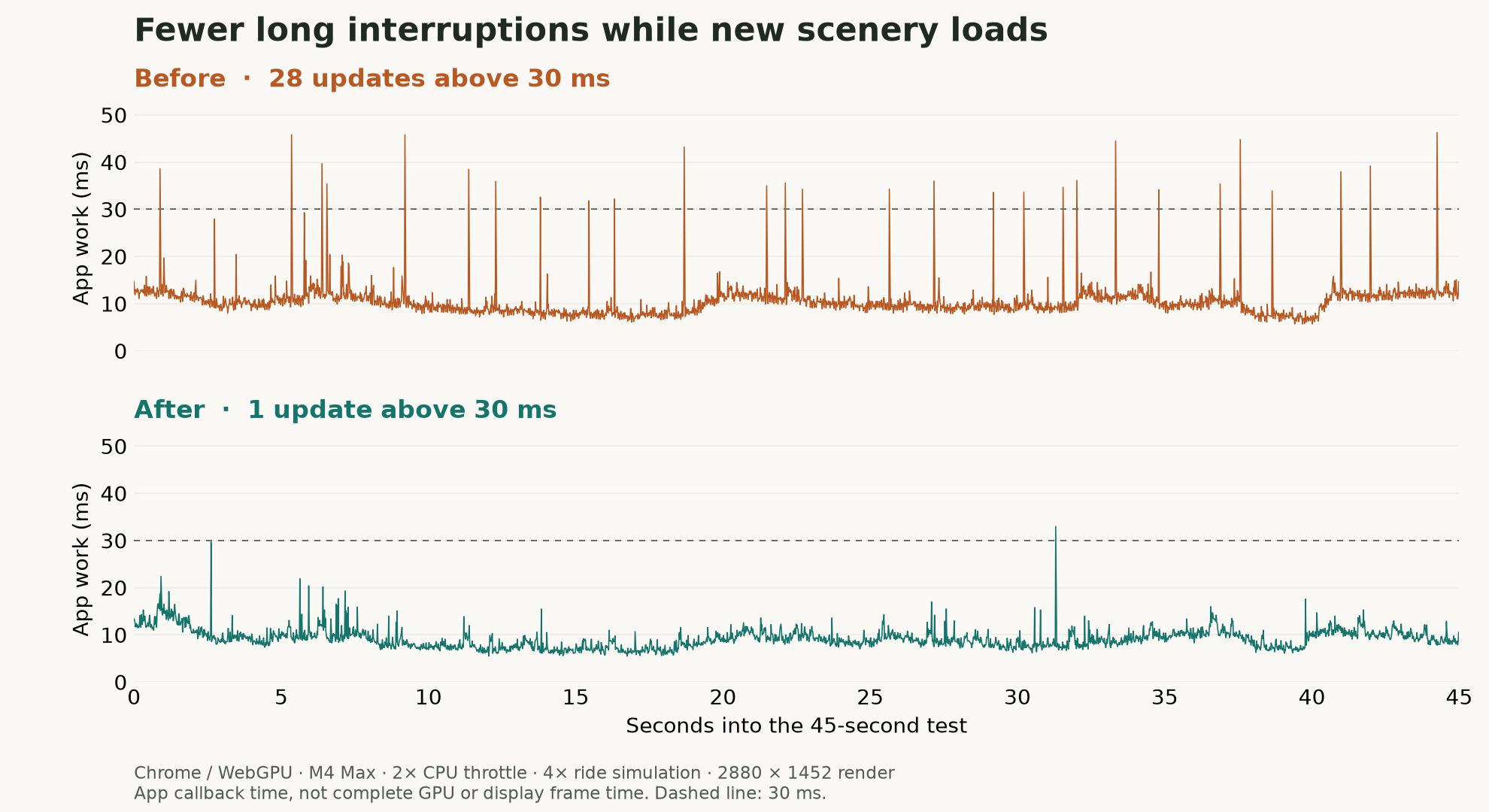
In a controlled, 45-second Golden Gate Park test, the number of application updates taking more than 30 milliseconds fell from 28 to 1. Typical update work also became cheaper, though the biggest change was removing the large peaks.
| Application work during the test | Before | After |
|---|---|---|
| Median time per update | 10.0 ms | 8.9 ms |
| Longest update | 46.3 ms | 33.0 ms |
| Updates taking more than 30 ms | 28 | 1 |
Some of the savings came from work that should never have happened twice.
A rider is made of many connected parts: the body, its animated skeleton, the bike and its components. The renderer needs to work out where each part belongs in the world. Those calculations are called transforms.
In one sampled scene, 19 of 29 rider models were hidden. Yet the update still walked through their hierarchies, each with more than a hundred objects. Hiding a model from the drawing stage had not stopped all the earlier preparation work. The scene also repeated transform updates across drawing passes.
Fikaride now updates scene transforms once, after placing and animating the objects, and stops that recursive walk at hidden rider roots. When a rider becomes visible again, its transforms update before it is drawn. The change removes repeated calculations without changing the visible rider’s shape.
The larger interruptions came from preparing the landscape.
As a rider moves, Fikaride prepares sections of road and scenery ahead. Previously, building a section or shifting the terrain could put a large block of work into one update. On the test machine with CPU throttling enabled, creating a scenery section sometimes took more than 20 milliseconds by itself.
That preparation now runs in small pieces, sharing a target budget of about two milliseconds per ride update. The next terrain is built in spare buffers while the existing ground stays on screen. Once the replacement is complete, both the near and far ground switch together. Scenery sections also stay hidden until they are ready.
The important detail is that an unfinished landscape never has to appear under the rider. Loading and large jumps along a route can finish the preparation immediately; ordinary riding spreads it across updates. The budget is a scheduling target, not a promise that every individual piece will finish in exactly two milliseconds.
There was also a surprisingly small arithmetic problem. The distant terrain samples the landscape at intervals of 125 metres, but its grid was moving in steps of 600 metres. The old and new sample positions did not line up, so the cache could not reuse their overlap.
Moving the grid in 625-metre steps fixes that alignment. In a straight shift along one axis, the number of fresh samples falls from 16,641 to 645. That is much less sampling work, although it is only one part of preparing the terrain—not a 96% speedup for the game.
Bikes offered another opportunity. Up close, separate materials and components help a bike look convincing. Far down the road, submitting each part separately still costs CPU time, even when details are only a few pixels wide.
Beyond 60 metres, Fikaride now combines a bike’s opaque frame and wheel parts into one drawing operation. Their paint and material properties travel with the geometry. Pedals remain animated; the tiny spokes and chain are omitted at that distance. The regular bike returns below 50 metres. Using different distances in each direction prevents it from repeatedly switching models near a single cutoff.
In a separate fixed-scene comparison, median drawing submissions fell from 772 to 740. The measured CPU benefit was modest: 9.3 milliseconds per update with batching, versus 9.4–9.8 without it. Fewer drawing calls are useful, but they are not automatically the same percentage increase in frame rate.
The graphics settings also needed to respond to the right problem.
One GPU effect, ambient occlusion, adds soft darkening around surfaces that sit close together. It helps objects feel connected to the ground, but it is expensive. The new intermediate setting calculates that effect at 35% of the main image’s width and height, instead of 50%. The main image keeps its resolution.
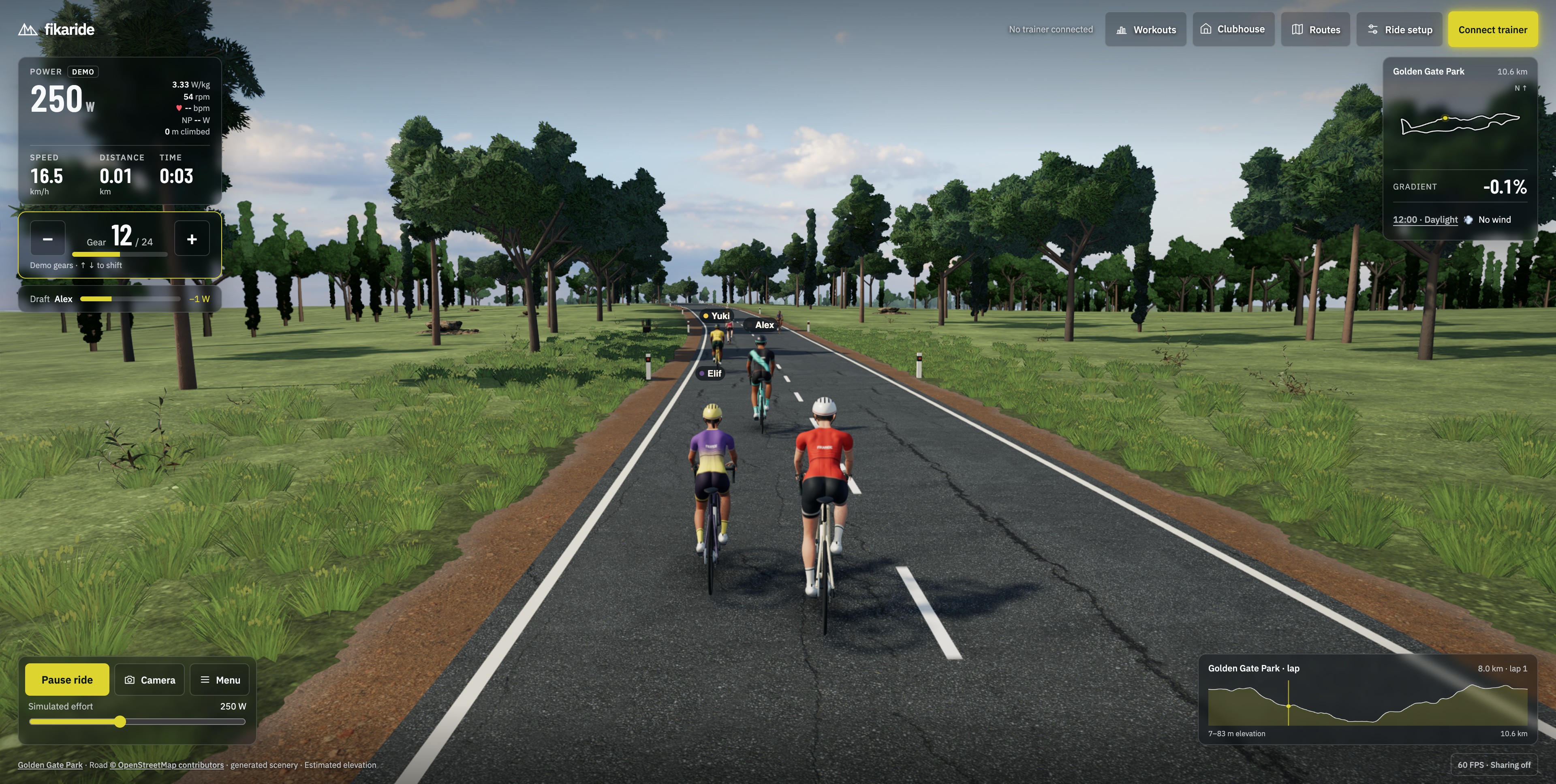
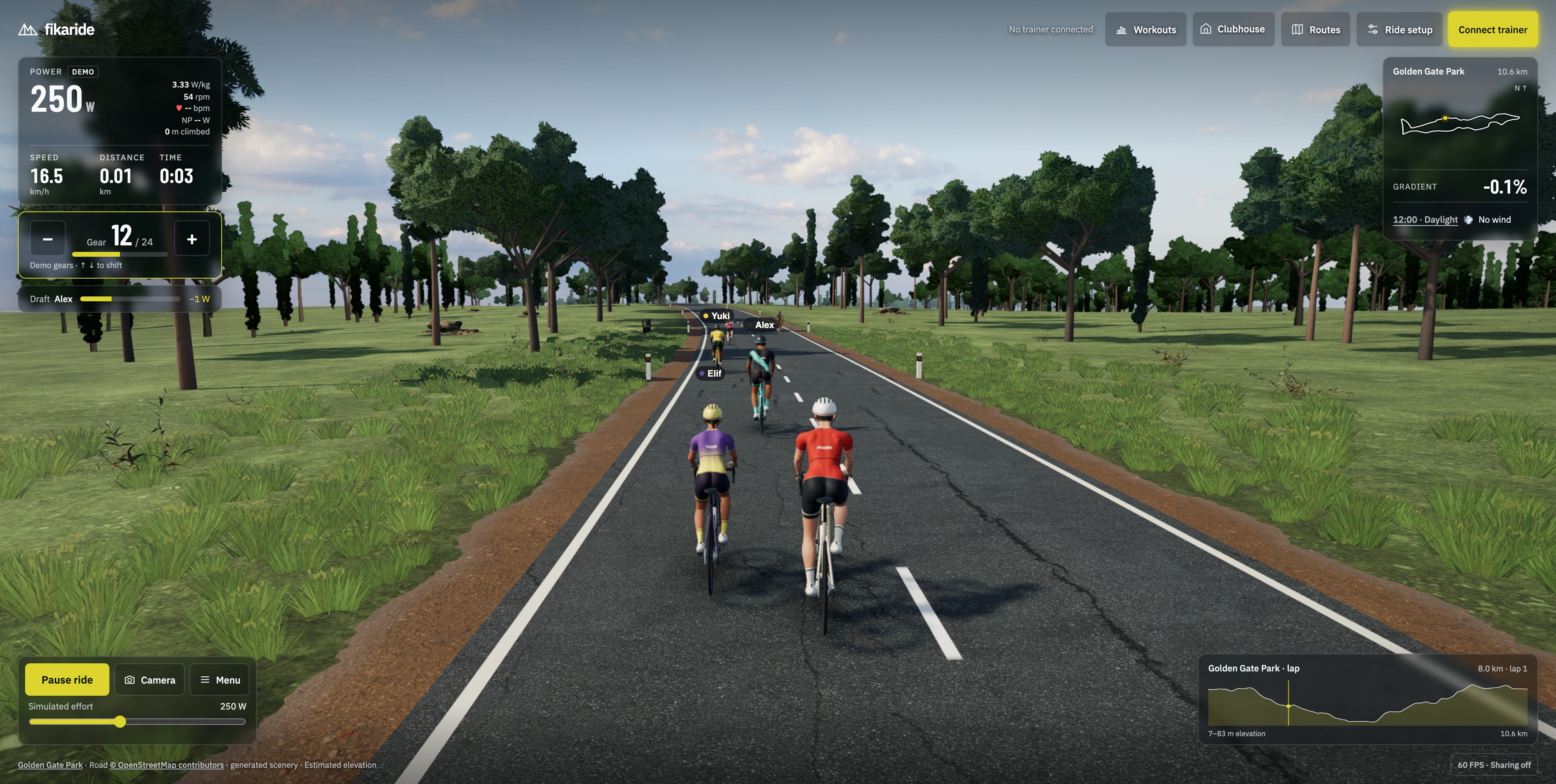
In the GPU measurements, that occlusion pass fell from a median of about 4.85 milliseconds to 3.93. Whole-frame GPU timings varied more, so that result should not be read as an equivalent improvement in total frame rate.
Auto graphics now distinguishes between CPU and GPU pressure using the time spent in the application’s update. It is a practical estimate, not a perfect measurement of the hardware. Under sustained CPU pressure, it first draws fewer ambient riders: the limit goes from eight to six, then three. Their simulation continues. Under GPU pressure, it first reduces the occlusion effect, then removes occlusion and bloom, before reducing the main image’s resolution.
Auto waits for sustained trouble before stepping down, and for a longer smooth stretch before stepping back up. That avoids changing quality because of one unusual frame. Fixed High and Low remain available.
Name tags also moved into a separate browser overlay at the screen’s native resolution. Lowering the resolution of the 3D scene no longer softens their lettering. Text that helps identify another rider stays readable even when the laptop needs a cheaper picture.
These changes build on the earlier photo fix: ride photos now copy the picture already drawn on the canvas and send it to a local worker for resizing and JPEG encoding. They no longer request another scene render. A photo still requires a browser image copy and encoding work; it is cheaper, not literally free.
There is still work to do. The remaining large interruption in the moving-route test came from compiling a scenery shader—the small program the GPU uses to draw a particular kind of surface. That is being tracked separately. A steady ride also depends on the laptop, browser, screen resolution and what else is running.
For this release, checks covered both WebGPU and the WebGL fallback, rider detail changes, lighting and camera changes, and terrain preparation on Golden Gate Park, Shimanami Kaido and Mont Ventoux. The staged build passed 284 Node tests and 145 Worker tests. The production ride, photo capture, summary, local save and download were checked after deployment too.
The useful result is more room in each update, with far fewer long interruptions when new scenery is prepared. That leaves the computer more time to keep the ride moving.
Measurement notes: the moving-route comparison used Chrome/WebGPU on an Apple M4 Max, a 2880 × 1452 render surface, Chrome’s 2× CPU throttling and 4× accelerated ride simulation to encounter more scenery boundaries. Each sample lasted 45 seconds, with rendering capped at 60 FPS. CPU throttling does not reproduce a slower laptop’s GPU, thermals or battery behaviour. These are development comparisons from this work, not a guarantee of 60 FPS on every machine; final bike material and memory refinements were checked separately. The bike and occlusion results came from separate fixed-scene comparisons and should not be added together. Download the moving-route timings.